
Slow down. Feel more.
SlowJoy puts a calm pause between you and the apps that keep you scrolling, and helps you swap quick hits for joy that lasts.
Android. Free to start. No ads.
Some joy is fast. Some joy lasts.
Endless feeds, short videos and games are designed to hand out small, quick rewards so you keep coming back. The pull is real, and it is not a lack of willpower. SlowJoy works with that pull instead of fighting it.
Fast joy
- One more video, then another
- Opening an app without deciding to
- Feeling emptier after an hour of scrolling
- Bedtime that keeps moving later
Slow joy
- A short walk, a page of a book, a drawing
- Choosing what you open, and why
- Feeling fuller, not drained
- Evenings that wind down on their own
How a pause works
You choose the apps that pull you in most. SlowJoy waits quietly until you open one of them.
You open an app you chose
TikTok, Instagram, YouTube or a game. SlowJoy notices which app came to the front, and nothing else.
A calm screen appears first
It asks why you are opening it now, and offers a short breathing pause with a soft circle, a bell and light rain.
You decide
Often the urge passes and you pick a slow joy instead. If you still want the app, it opens for 10 minutes.
Slow joys to choose from
 Draw something
 Read a page
 Go outside
 Help someone
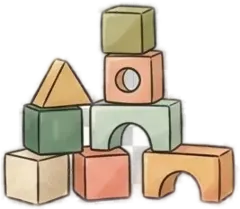 Build something
 Dance to a song


A gentle version for children
Kids mode turns the pause into a game a child can feel good about. Parents set it up with a PIN.
- A balloon that grows and shrinks to breathe with
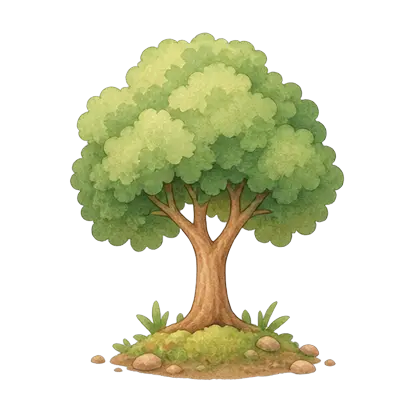
- A plant that grows with every calm moment
- Screen minutes earned by real fun things, approved by a parent
- Sleep time, when screen apps need the parent PIN
- A weekly report for parents, kept on the phone
SlowJoy is a gentle helper, not a lock. For strict limits, use it together with Google Family Link.
How the plant grows





Start free. Upgrade if it helps.
Prices appear in Google Play in your own currency before you pay.
Free
Free forever
- Manual pause with breathing
- Auto pause for 2 apps
- Slow joys, mood and a weekly summary
Plus
Monthly or yearly subscription
- Auto pause for every app you choose
- Patterns: what pulls you in most, and when
- All future sounds and features
Family
Yearly subscription
- Everything in Plus
- Kids mode with the balloon, plant and bedtime
- Earned screen time and a parent report
Subscriptions are billed through Google Play and renew automatically until you cancel. Free trials, when offered, are shown with their length before you start. You can cancel any time in Google Play under Payments and subscriptions.
Your attention, your data
A wellbeing app should not watch you. SlowJoy is built to know as little as possible.
Read the full privacy policy- Activity stays on your phone
- Pauses, moods, notes, limits and the kids report are stored on your device only. They are not sent to us and are not in cloud backups.
- Only the app name, never the content
- Auto pause learns which app is opening. It never reads your screen, messages, passwords or typing.
- No ads, no tracking
- There are no advertising or analytics tools inside SlowJoy.
- Purchases through Google Play
- Google Play handles payment. RevenueCat checks if your subscription is active.
Questions
Why does SlowJoy ask for the Accessibility permission?
Android only lets an app know which other app has opened through the Accessibility service. SlowJoy uses it for that single purpose, to show the pause. It shows a clear explanation and asks for your consent before you turn it on, and you can switch it off at any time.
My banking app will not open. What do I do?
Some banking apps refuse to open while any accessibility service is on. Tap Turn off on the SlowJoy home screen, use your bank, then turn it back on.
Does it work on iPhone?
Not yet. SlowJoy is available for Android first.
Which languages does SlowJoy speak?
English, Arabic, Malay, Indonesian, Chinese, Hindi, Spanish, French, Turkish and Portuguese. It follows your phone language, and you can change it in Settings.
How do I delete my data?
Open Insights and choose Reset all data, or uninstall SlowJoy. Everything stored on the phone is removed.
How do I cancel my subscription?
Open Google Play, tap your profile, then Payments and subscriptions, then Subscriptions, and choose SlowJoy.